Nov 18, 2026 · v0.3.585
Simpler markup
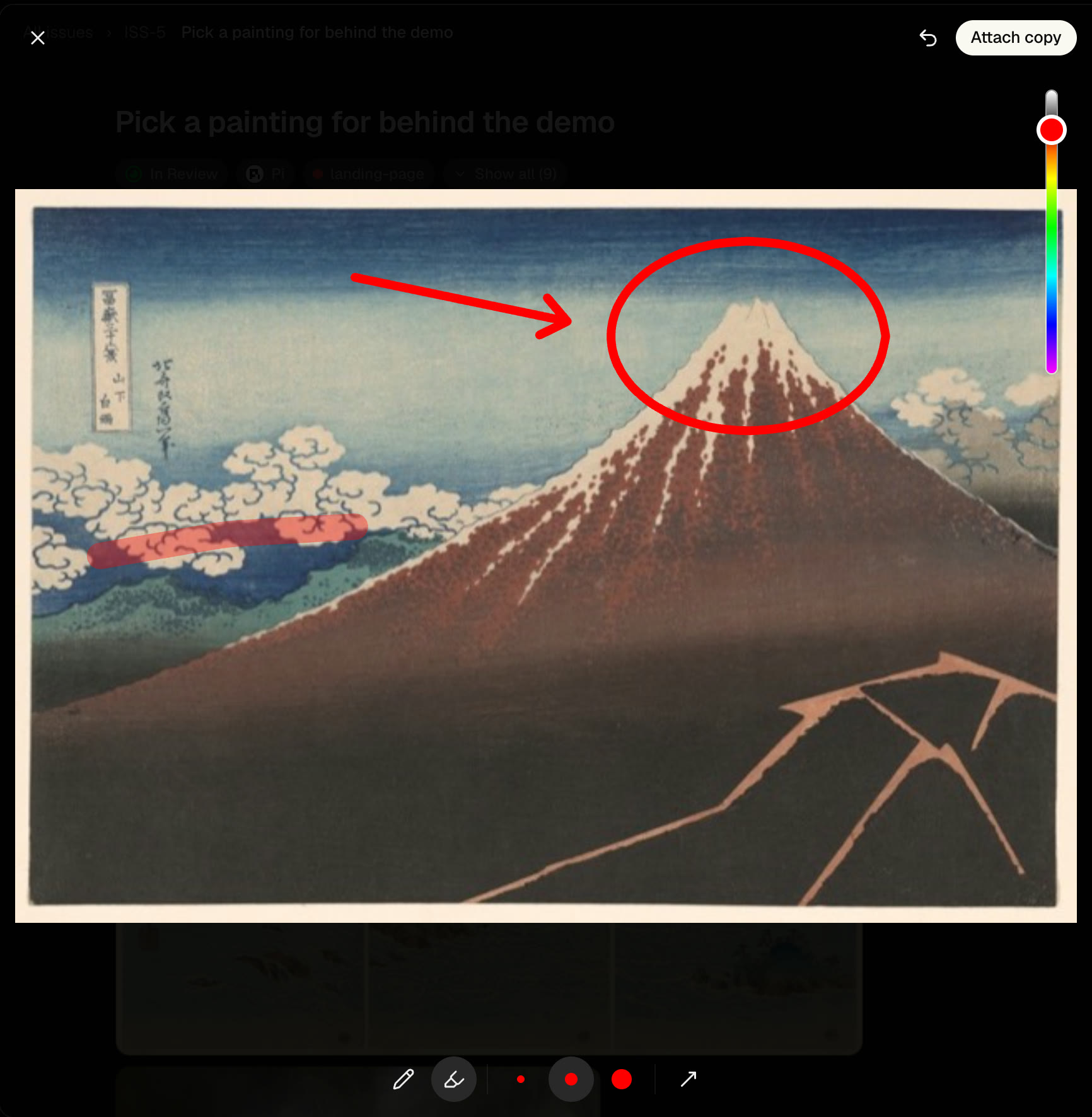
Markup on iPhone and desktop puts close, undo and Save at the top and a color slider on the right. Pen, Highlighter, three line widths and an arrowhead sit along the bottom. The line keeps up with your finger, and the default pen is thicker.
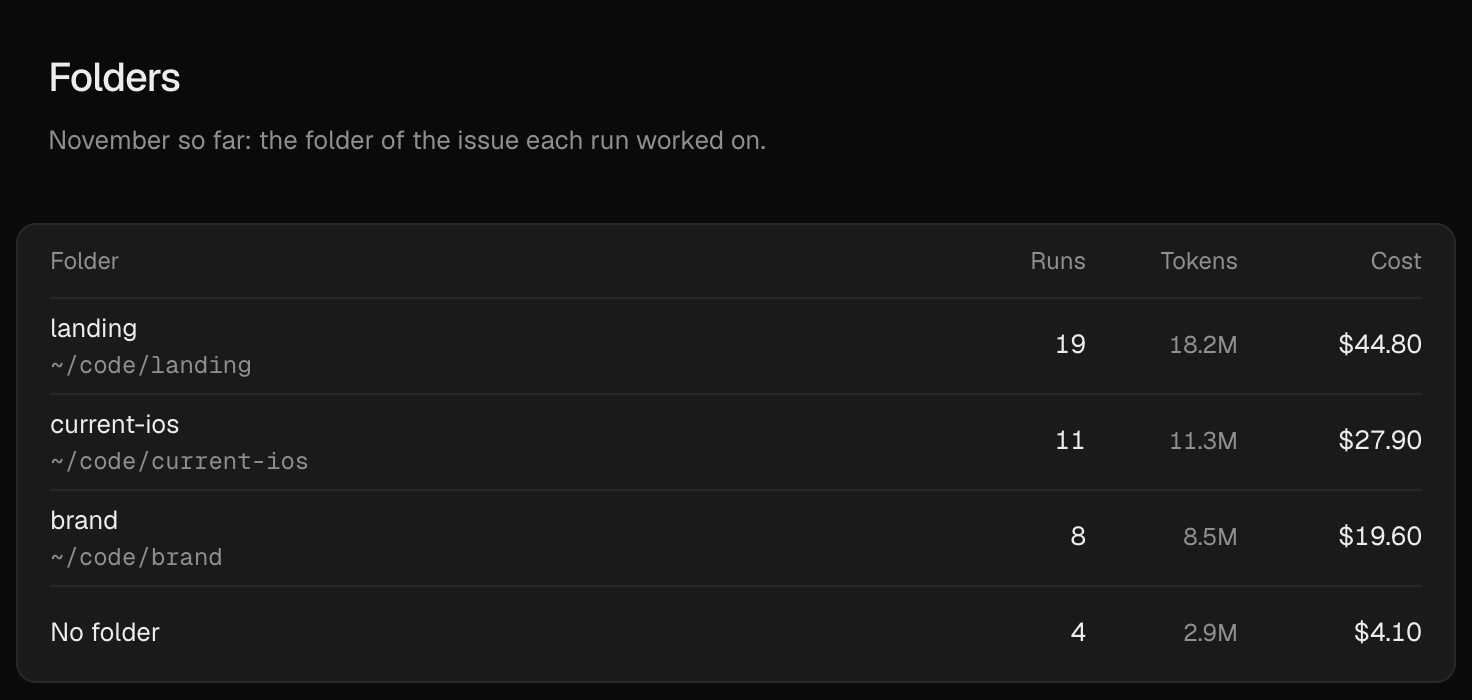
Usage by folder
The Usage page has a Folders section with the runs, tokens and cost of each issue's folder, largest cost first. Runs on issues without a folder count under No folder. It follows the period you pick at the top.
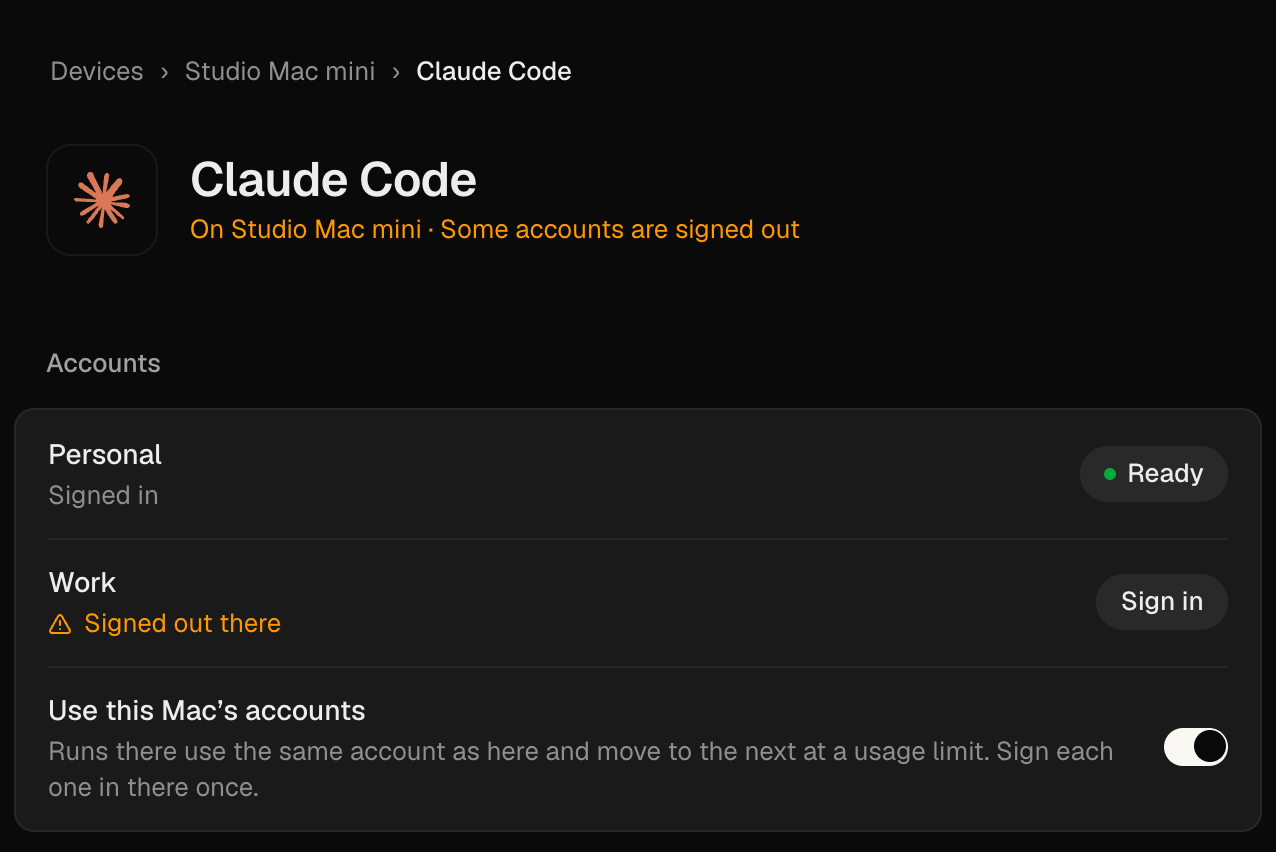
Sign in on your other machines
In Settings → Devices, open a machine and choose Claude Code or Codex to see whether each account is signed in there. A signed-out account offers Sign in, and so does one whose status hasn't arrived yet. Idle machines report their accounts too, so you don't have to start a task first.
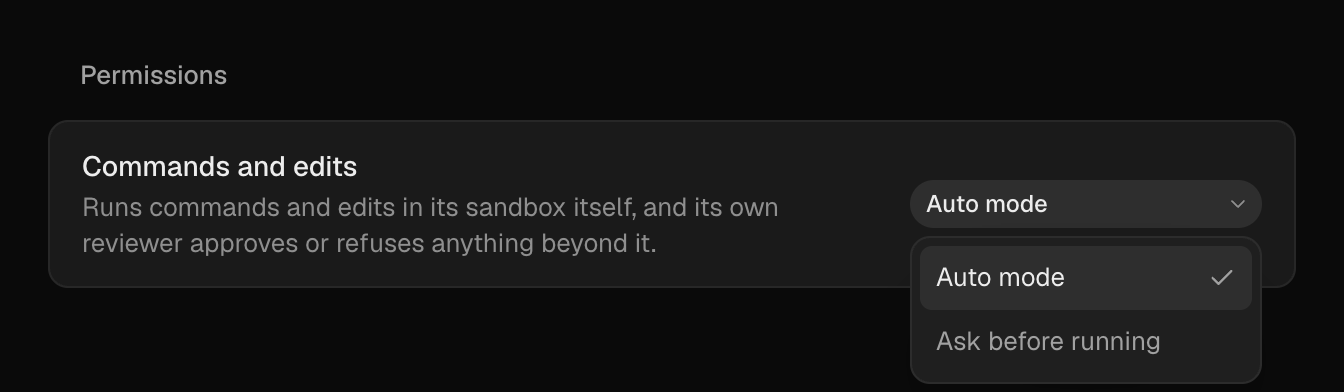
Two permission modes for each agent
Claude Code, Codex, Muse Code and Pi each have two modes under Permissions on their page in Settings → Agents. In Codex's Auto mode its own reviewer approves or refuses anything outside its sandbox; Ask before running sends those to you. Muse Code now starts in Run everything, so pick Auto review to keep its reviewer.
Fixes
- Phone On the web on your phone, the keyboard stays up and the feed scrolls smoothly.
- Machines A busy machine's prompt no longer suggests moving the task to Cloud.
- Sync The app skips an update it can't read and keeps syncing, instead of retrying every second.
- Integrations Plugin, Linear and Slack webhooks reach the right workspace, so their triggers work on Cloud and in workspaces you added later.
- Integrations When Current can't reach GitLab, Settings says so instead of "GitLab is having trouble".
- Agents An app call that outlasts its run gets "This run has ended" instead of a server error.
- Security Importing a local program refuses one that puts a secret in its command-line arguments, where any account on the Mac could read it. Import again to replace programs saved before.
Improvements
- Phone Your phone stays quiet while you're working in Current on your desktop. Switch away and alerts come back.
- Loops Each loop has its own page with its trigger, instructions and history, and Change asks an agent to edit it. New loop and Customize → Loops show the same gallery.
- Agents Clicking anywhere on an agent's row in Settings → Agents opens its page.
- Agents Agents keep their helpers inside their own run instead of filing a sub-issue for each one.