Nov 16, 2026 · v0.3.566
OpenRouter and Vercel AI Gateway
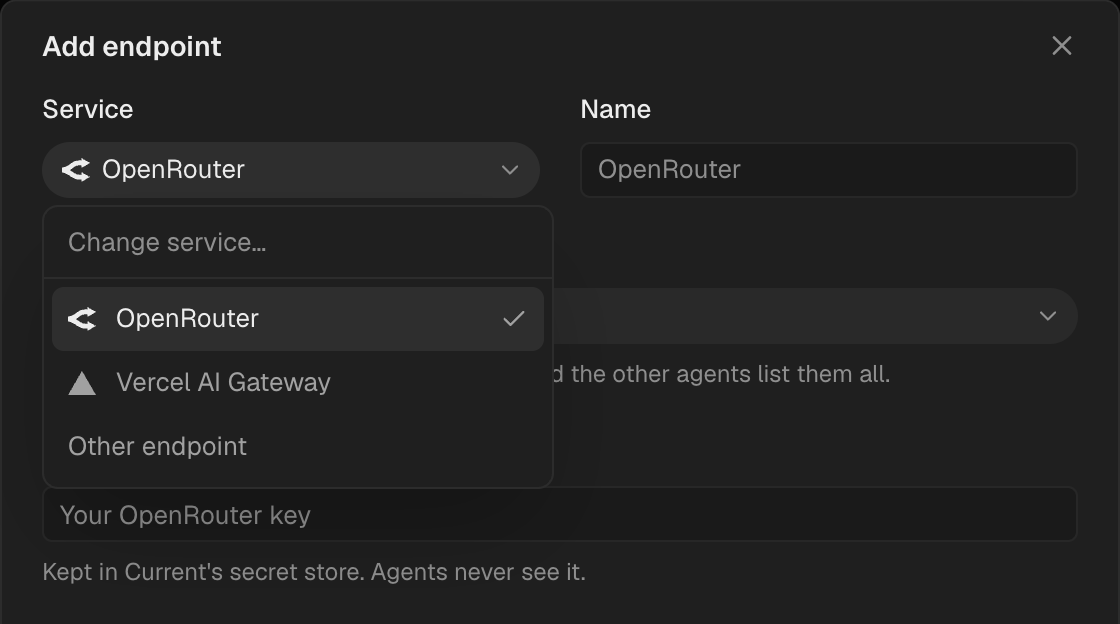
Settings → Model endpoints adds OpenRouter or Vercel AI Gateway with one key. Pick the service, paste the key and load its models. Every agent can run on them, Claude Code and Codex included, and Current adds the key so agents never see it.
Use an API key as an account
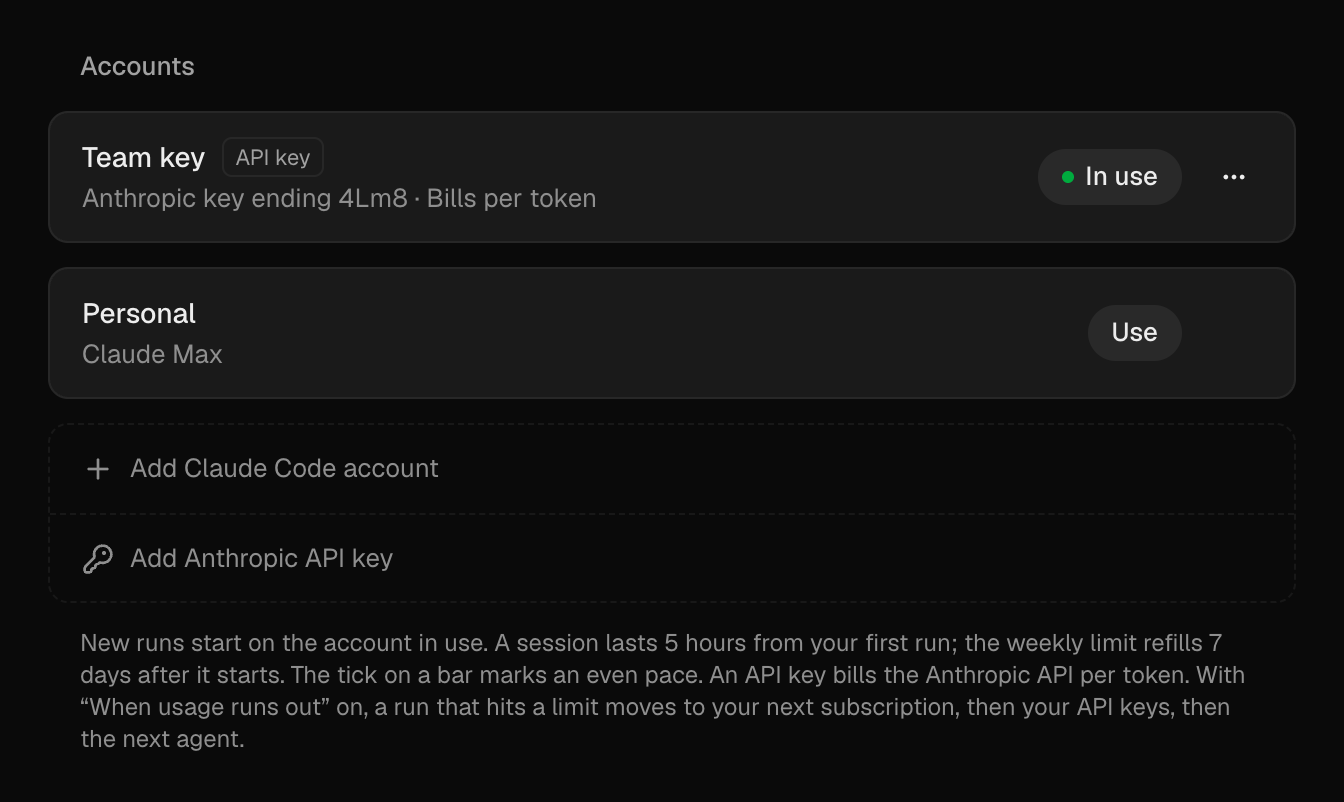
Claude Code and Codex take an Anthropic or OpenAI API key as an account, beside your subscriptions. Add one on the agent's page in Settings → Agents; Current checks the key before saving it. When your subscriptions run out, runs move to your API keys and bill per token.
Connect apps without leaving the issue
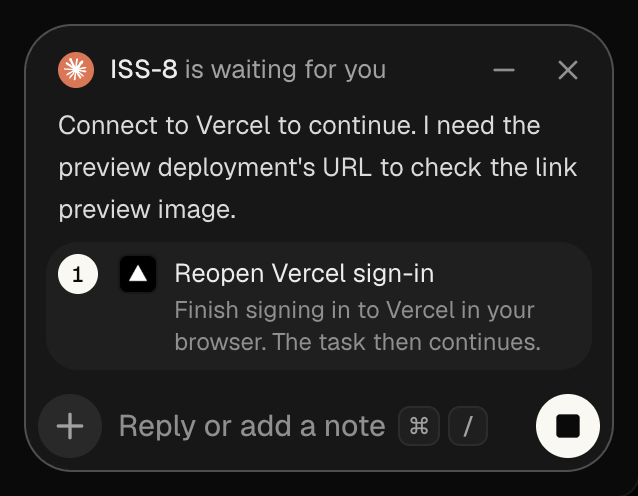
When an agent asks you to connect an app, Connect opens its sign-in in your browser and the issue stays open. The question says what is left to do, then clears once you're connected and the agent continues.
See the memory each task uses
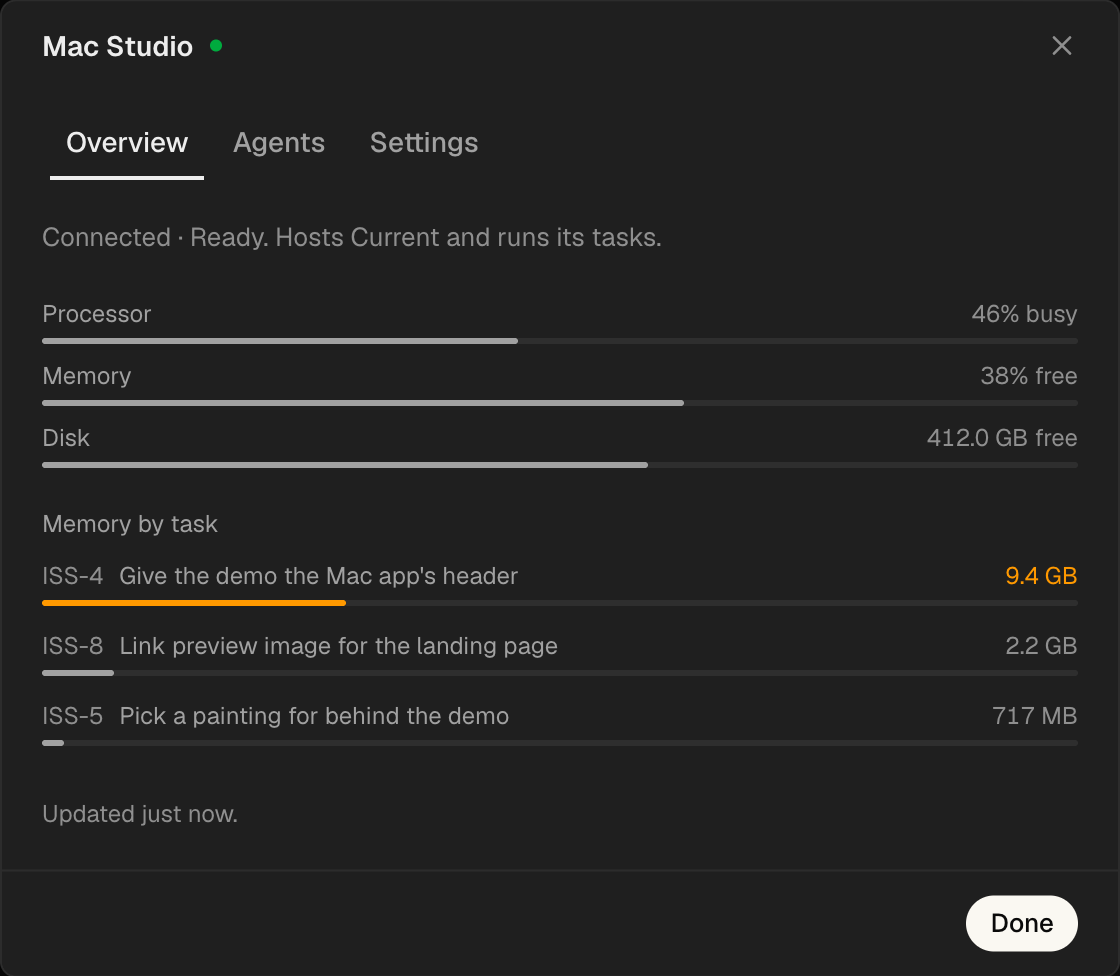
While a task runs, pressing Run on in the issue header shows its memory, its share of the Mac and its largest programs. Settings → Devices → This Mac lists every running task by memory, and the pill's dot turns orange when the Mac is under strain.
Fixes
- Cloud Copying a workspace to Cloud no longer stops at 85% or fails when its address is taken.
- Cloud A billing error after a copy lands no longer deletes the new workspace.
- Agents Codex no longer quits at start on machines you connect.
- Agents Queued runs no longer wait up to 15 minutes while a new issue's folder is prepared.
- Agents Current Cloud hands runs to your Mac again when the issue has a folder.
- Machines A machine without an issue's repository clones it before the run starts.
- Machines GitHub access on remote machines survives restarts.
- Activity The session viewer shows formatted steps again instead of raw logs.
- Activity You can select and copy text in an agent's question.
- Activity Long answers in an agent's question wrap instead of running off the edge.
- Activity The comment box's text field keeps its spacing under an agent's question.
- Desktop Installing an update no longer reopens on a missing page.
Improvements
- Activity The comment box uses spring motion when an agent's prompt opens, minimizes or closes, keeping its contents visible while it collapses.
- Activity Plan and usage warnings ask in the comment box, like every other agent question.
- Activity Replying while an agent's question waits dismisses the question and sends your reply.
- Activity Suggested text from an app shows once, inside the question, with Approve and Edit.
- Activity Agent questions name the issue that is waiting, and app icons share one rounded shape.
- Updates Hovering Update lists the versions each part moves to and previews the newest post. Clicking the version opens the changelog.
- Devices Every machine shows a status dot: green when it can run, amber while it joins, gray offline, red when it can't run.
- Devices Agents ask you before removing a machine.
- Agents Run on shows one machine list: Cloud first, then This Mac and the machines you connected. A task set to Cloud reuses a free rented machine before renting a new one.
- Settings Each agent opens its own page in Settings → Agents, with a card per account that says whether it can run now.
- Media Pictures and clips shrink on your device before they upload, on web and desktop.
- Cloud Copying to Cloud shows its progress in a sidebar card, and the new workspace opens early with a helper showing what has arrived.
- Customize Categories open in the same two-column grid, the tabs are pills with icons, and ⌘/ focuses the search.
- Customize Connect rolls to Connecting and then Connected.
- Desktop Page titles are larger, with more room under the header.
- Sign-in The terminal sign-in code shows in capitals, one letter per box.